
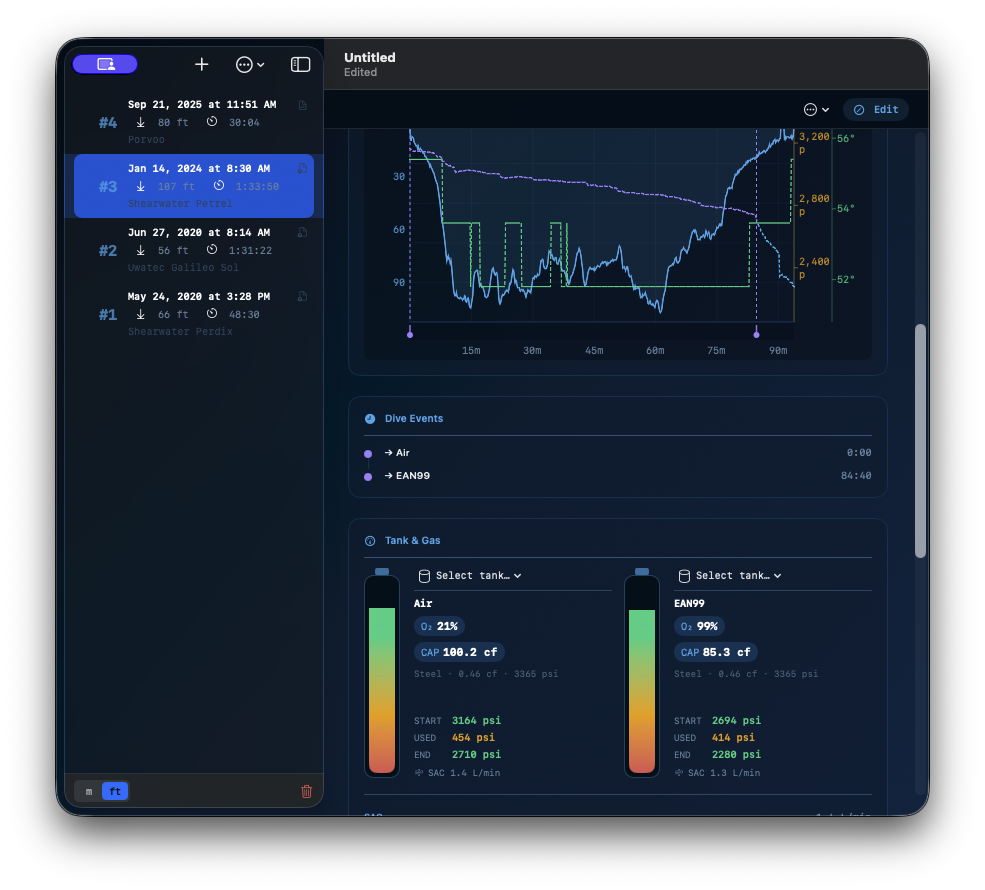
Your dive log. On your device. No account required.
Halocline is a native logbook for iOS and macOS that imports directly from Garmin, Suunto, and Shearwater — and keeps your data exactly where it belongs. It also parses JSON files from Suunto.
Most dive log apps ask you to create an account, upload your dives to a server you don’t control, and pay a subscription to access your own data. That never sat right.
Halocline was built to be the opposite: a native app that lives on your phone and Mac, syncs privately through your own iCloud, and works entirely offline. No login. No cloud service. No monthly fee for the basics. Just your logbook.
What it does
Import from your dive computer
Connect the app you already use and your dives come in automatically — depth, duration, gas mix, water temperature, tank pressures, dive events, and GPS coordinates included.
- Garmin Descent — share directly from Garmin Connect, or import
.fitfiles - Suunto — JSON exports carry full gas and temperature data;
.fitfiles work too - Shearwater — open a Cloud database export and all your dives appear at once, with correct depths, times, and site names
- UDDF — import from any app that exports the open standard, including multi-gas dives
When you import a file you’ve imported before, Halocline detects the duplicate and asks whether to merge, add as a copy, or skip.
A logbook that knows your gear
Each dive entry tracks everything you actually want to record: suit and thickness, hood, gloves, boots, BCD type, wing lift, regulator, lead weight, gas mixes, SAC rate, water type, dive tags (Night, Wreck, Deep, Cavern, Cave, Training), entry type, buddies, rating, and notes.
Save your equipment configurations and apply them in one tap — useful when you always dive the same rig.
Dive profiles
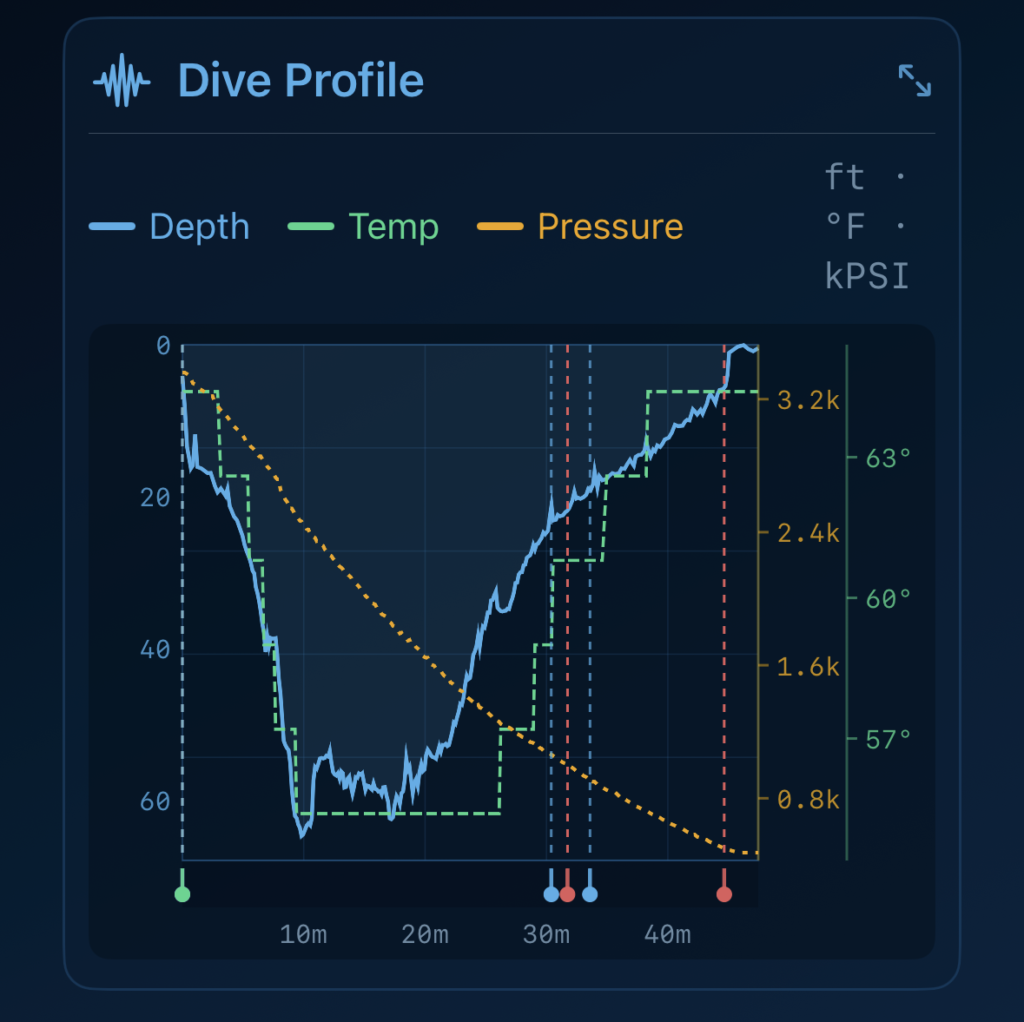
View the full depth profile for any imported dive, with dive events marked on the timeline. Tap to expand to full screen.
Logbook summary
Select any group of dives and see aggregate stats: total time, bottom time, maximum and average depth, average temperature, sites visited, and a breakdown by suit, entry type, water type, and specialty tags — plus activity charts that show individual dives when you have a small selection.
Export and share
- UDDF — export any dive, a selection, or your entire logbook as a single open-standard file, shareable via AirDrop, Mail, or any app on your device
- CSV (Pro) — export to a spreadsheet-compatible format for your own analysis
Private by design
Halocline stores your logbook as a single file in iCloud Drive — visible and accessible in the Files app like any other document. You can back it up, move it, open it on any of your devices. There is no Halocline account, no server receiving your data, and no vendor lock-in.
Available for iPhone and Mac
Halocline runs natively on iOS 17.6+ and macOS 14.6+. The Mac version includes a full split-view interface with keyboard shortcuts and a dedicated Dives menu.
[Download on the App Store]